6diss
Interactive disassembler for Commodore 64 binaries. Open a .d64 and you get a project: every file on the disk extracted, traced from its entry points and disassembled. Name things as you work them out, then export 6asm source that rebuilds the same bytes.
| Linux x64 | 6diss-2026.11.06-linux-x64.tar.gz | 107 MB |
| Windows x64 | 6diss-2026.11.06-win-x64.zip | 109 MB |
- Linux:
tar xzf 6diss-*-linux-x64.tar.gz, then./6diss game.d64. Needs X11 and fontconfig. - Windows: unzip and run
6diss.exe. The binaries are unsigned, so SmartScreen may warn.
The download also has 6dcli (command line) and 6diss-mcp (MCP server). Keep all three together.
This build leaves out the bundled C64 reference (Help > C64 reference). Everything else is the same.
Full manual · 6dcli · Control channel · Claude integration · Sample disk used below
The listing
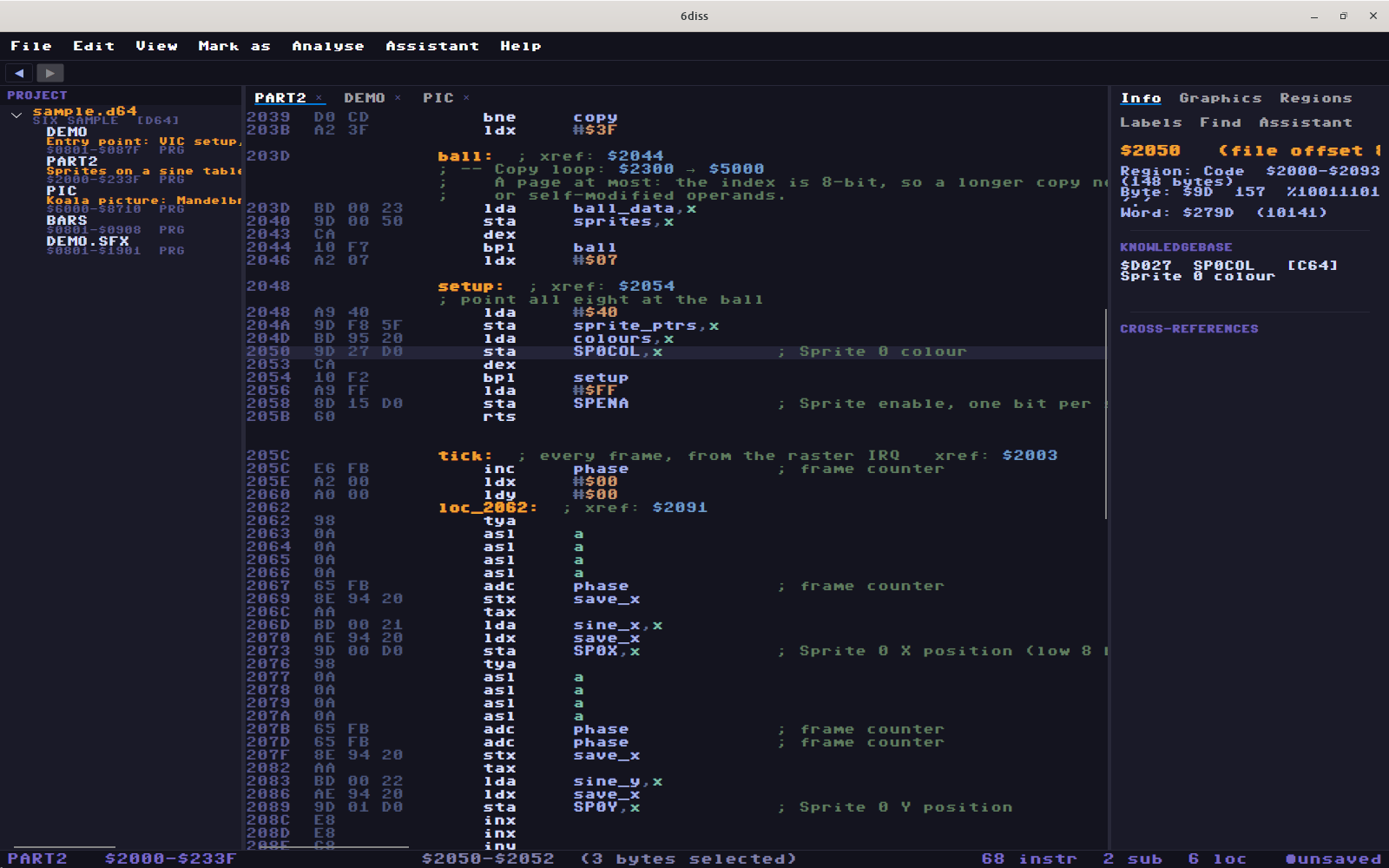
Hardware and KERNAL addresses are named, and register writes are decoded: lda #$78 / sta $d018 is annotated VMCSB: CB=4 VM=7. The caret's register, bit fields and cross-references are in the inspector. Marking and naming are single keys.
| Key | |
|---|---|
C B W P T F S |
mark selection as code, bytes, words, pointers, text, charset, sprites |
N / Shift+N |
name this address / an address the code refers to |
V |
name a value (#$1b becomes #SCREEN_ON) |
; D |
comment the line / describe the file |
E |
trace code from here |
H |
these two immediates are one address |
X |
which file does this reference mean |
R |
list every reference to this address |
Enter, Alt+← |
follow, back |
Ctrl+F, Ctrl+G |
find, go to |
Ctrl+Z |
undo, across the whole project |
Idioms and tracing
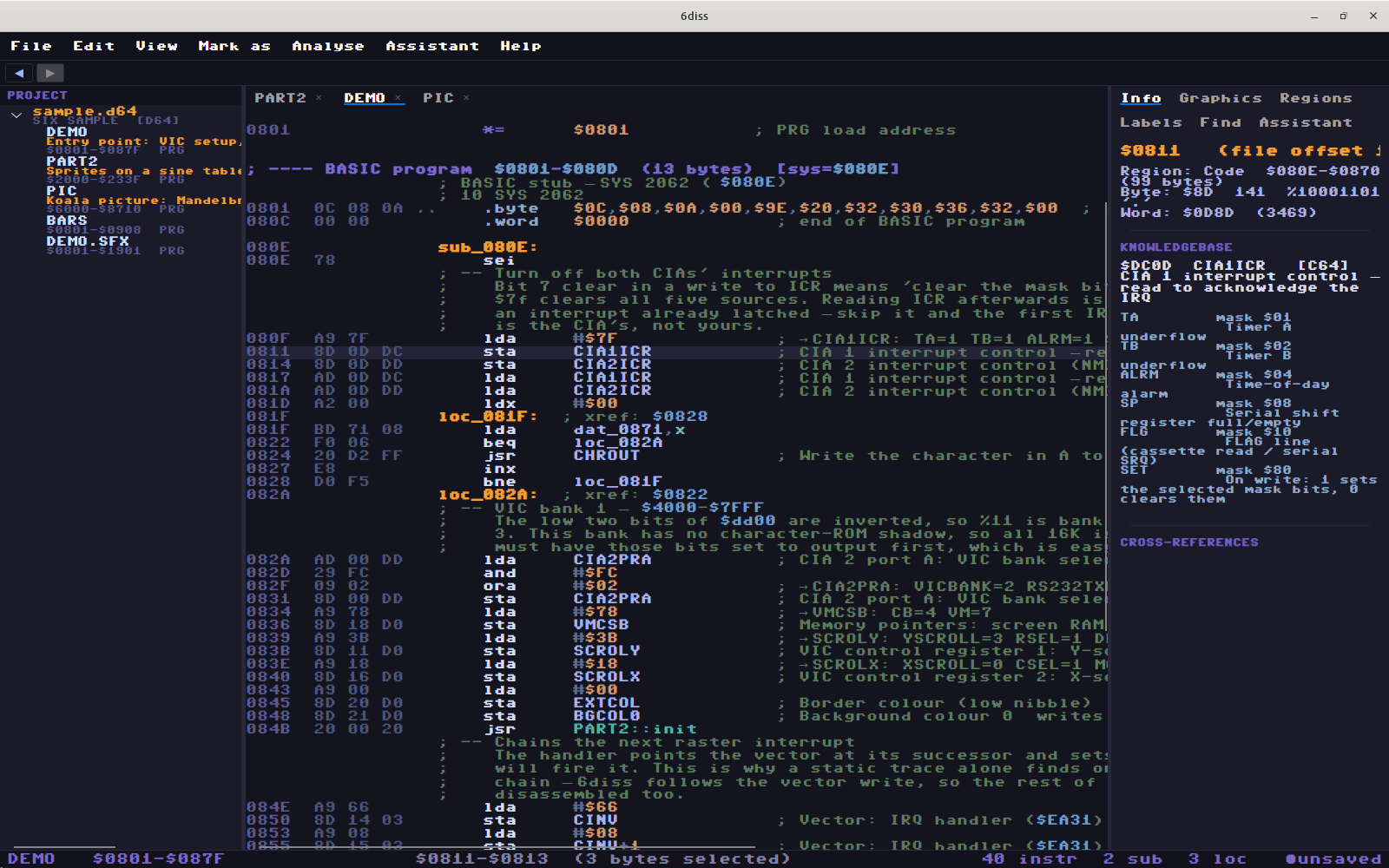
Eleven fixed rules explain sequences, such as raster waits, IRQ chains and bank switching. They match exactly or say nothing.
The tracer follows IRQ vectors written to $0314 and friends, RTS jumps and jmp tables. Ctrl+Shift+F finds code the trace missed and shows its reasoning for each run before you accept it. Self-modifying stores are flagged on both the store and the instruction it patches. Drive code can be marked to read against the 1541's memory map.
Across files
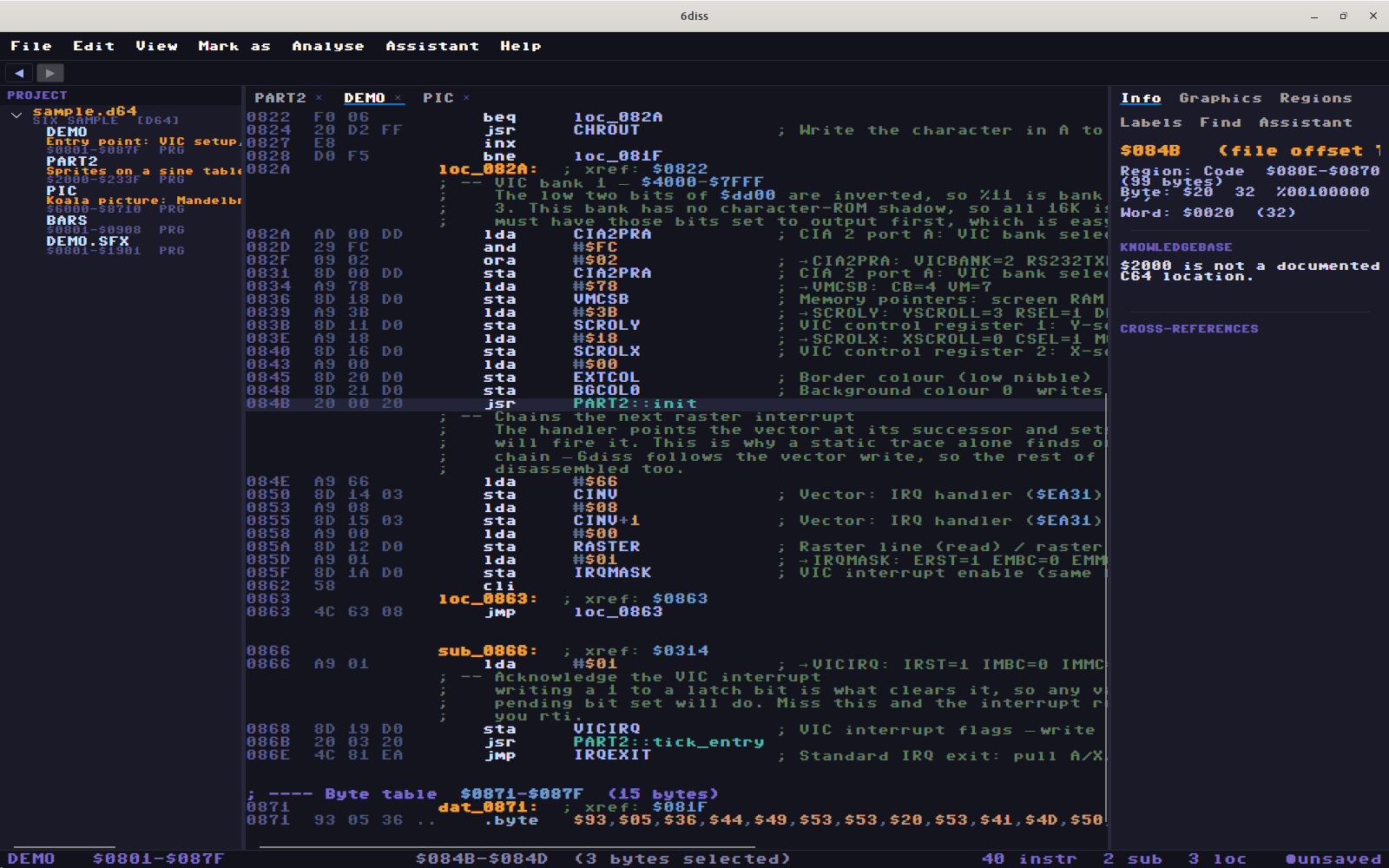
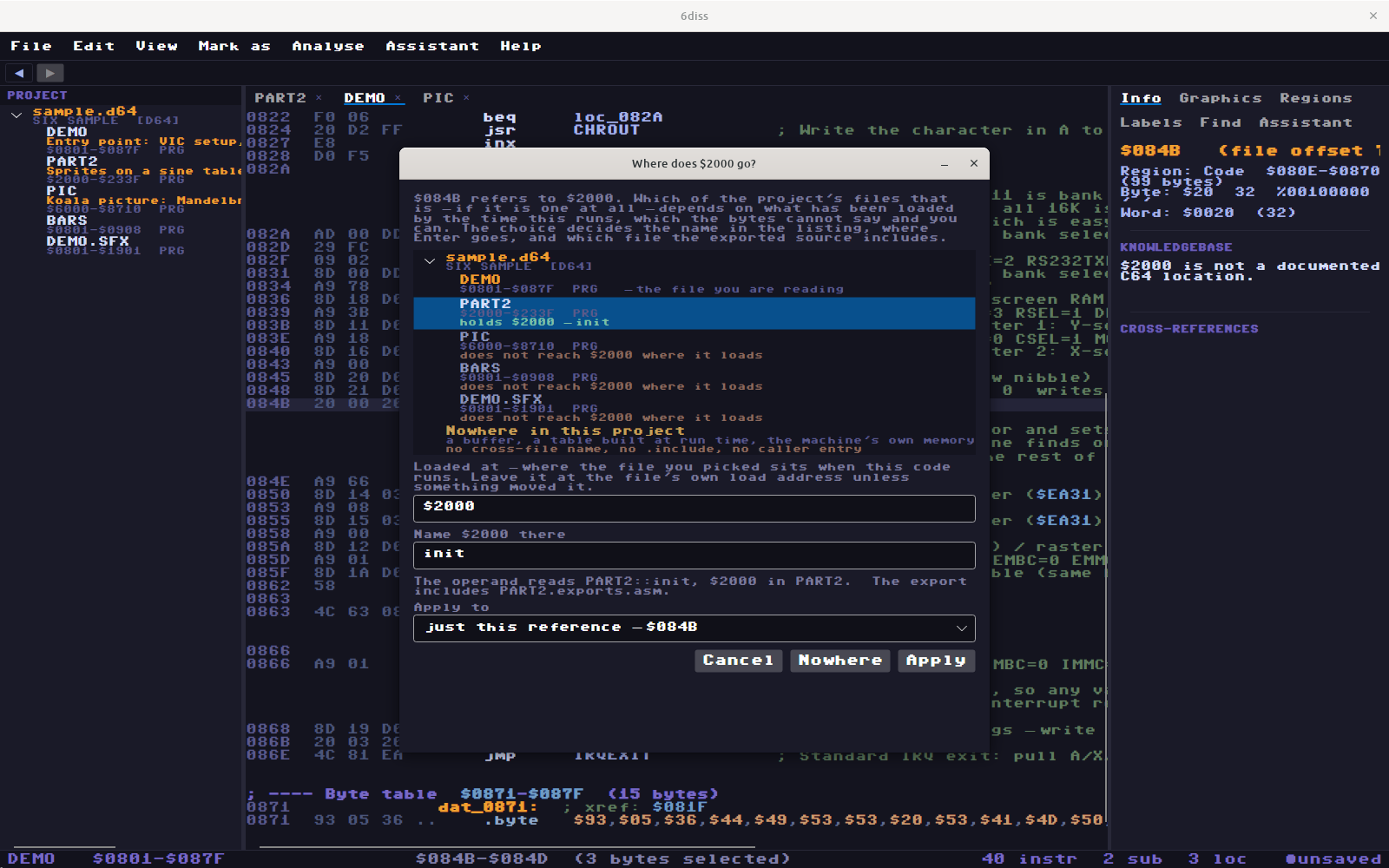
All the files on a disk share one address space, so 6diss resolves a jsr to whichever file loads there. When several files load at the same address, you say which one is meant:
Graphics
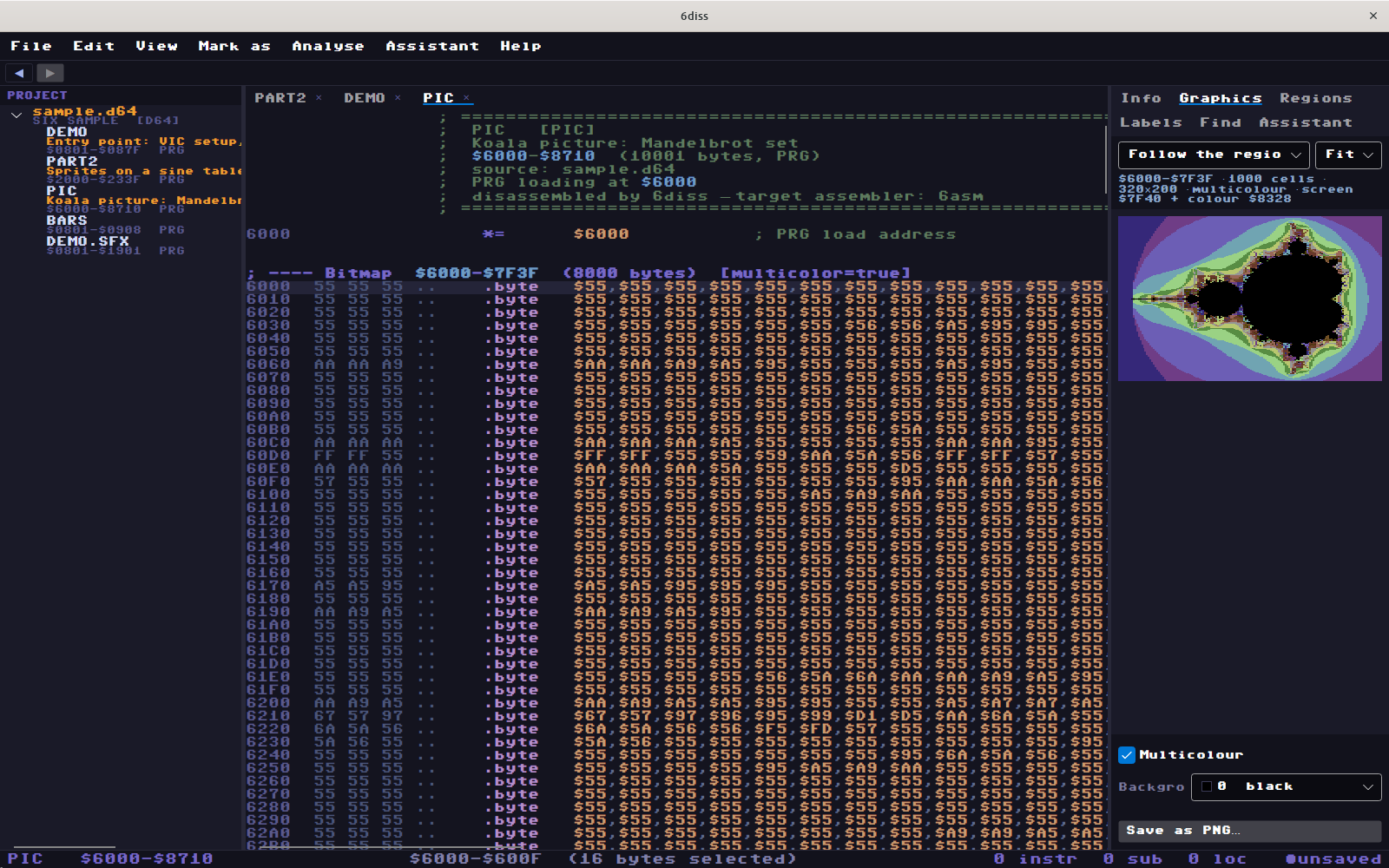
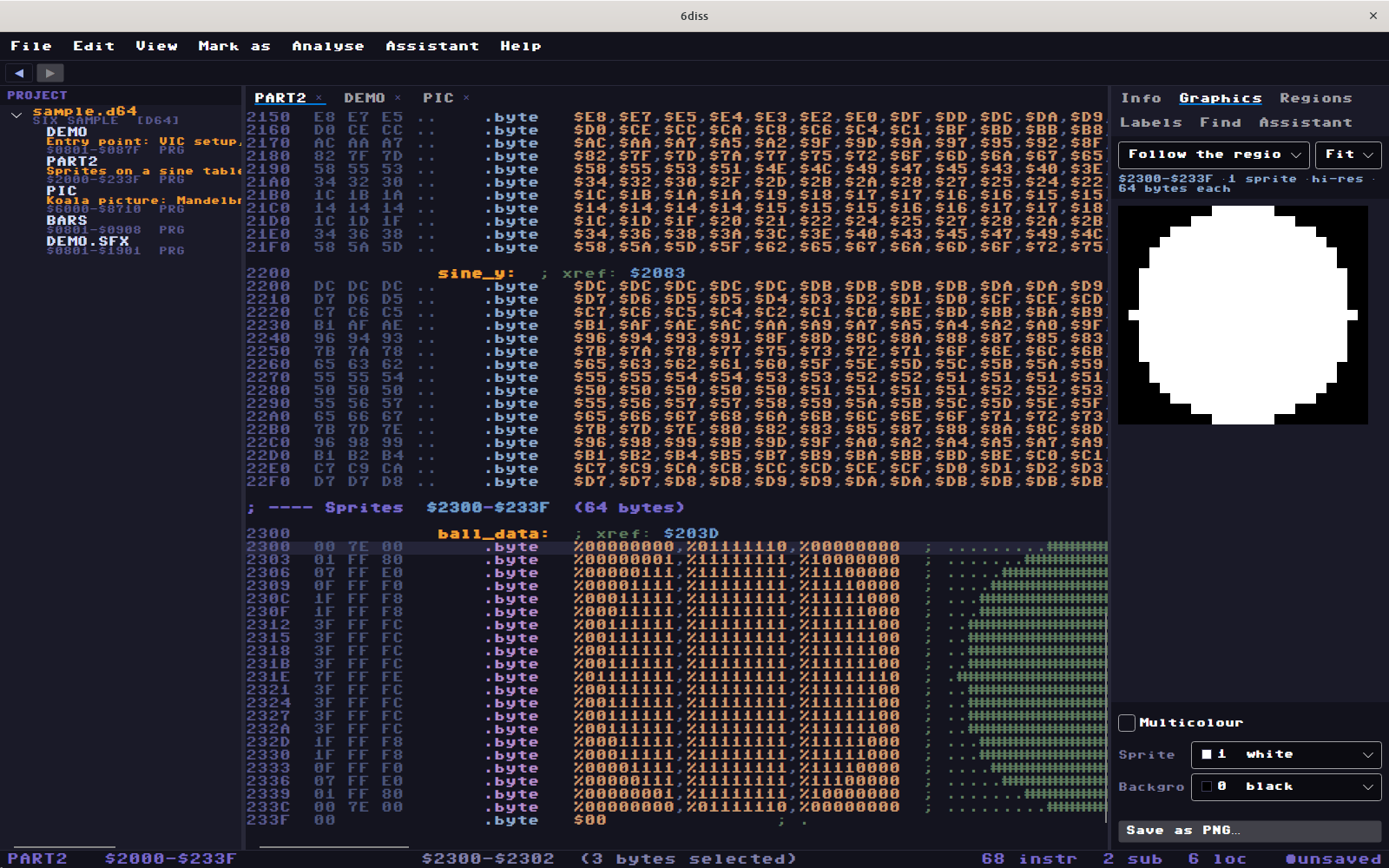
Charsets, sprites, bitmaps and screens are drawn from the bytes, classified or not. Click a pixel to land on its byte. Save as PNG.
Search
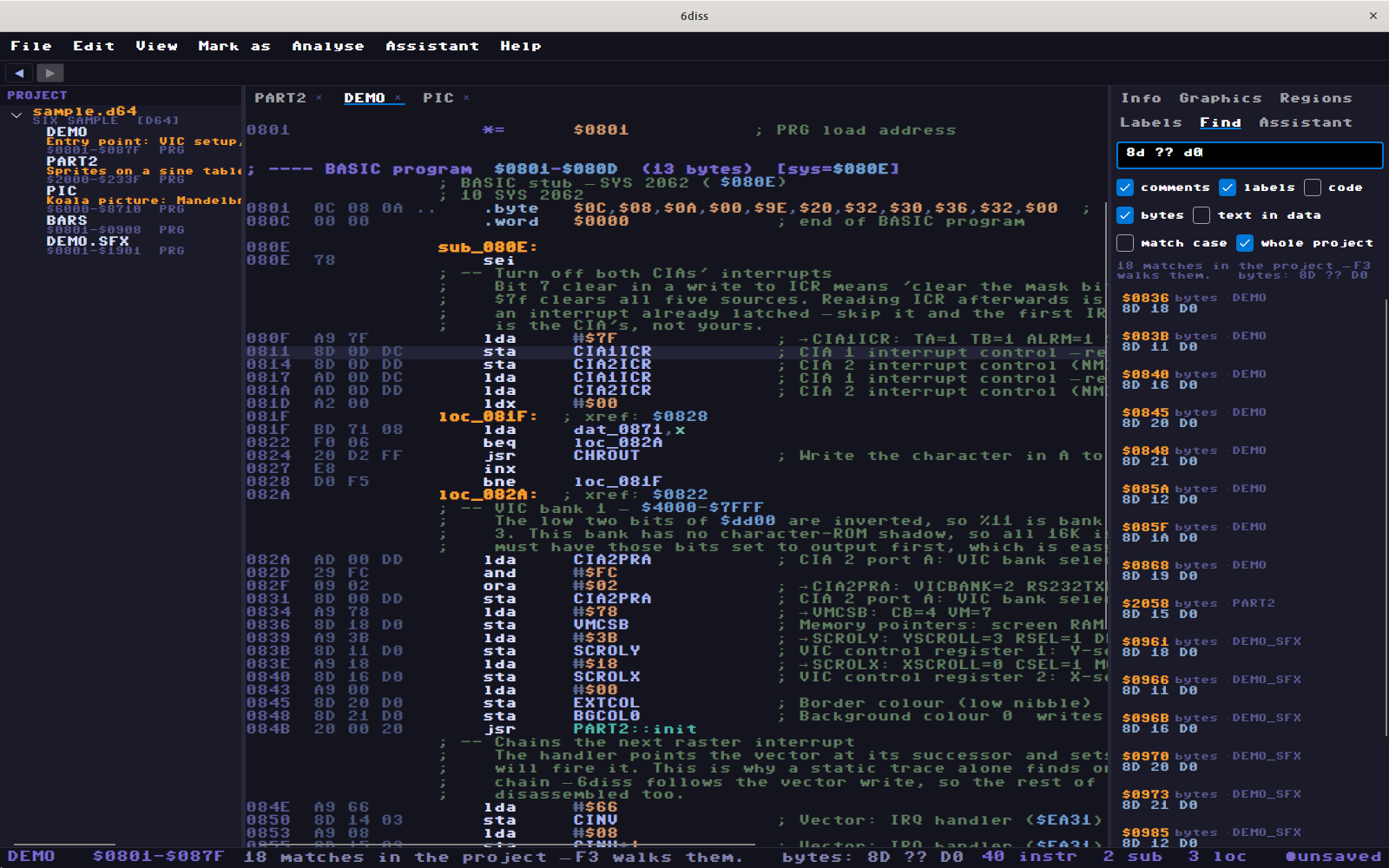
One box searches comments, labels, code, byte patterns with wildcards, and text in raw data as PETSCII, screen codes and ASCII.
BASIC
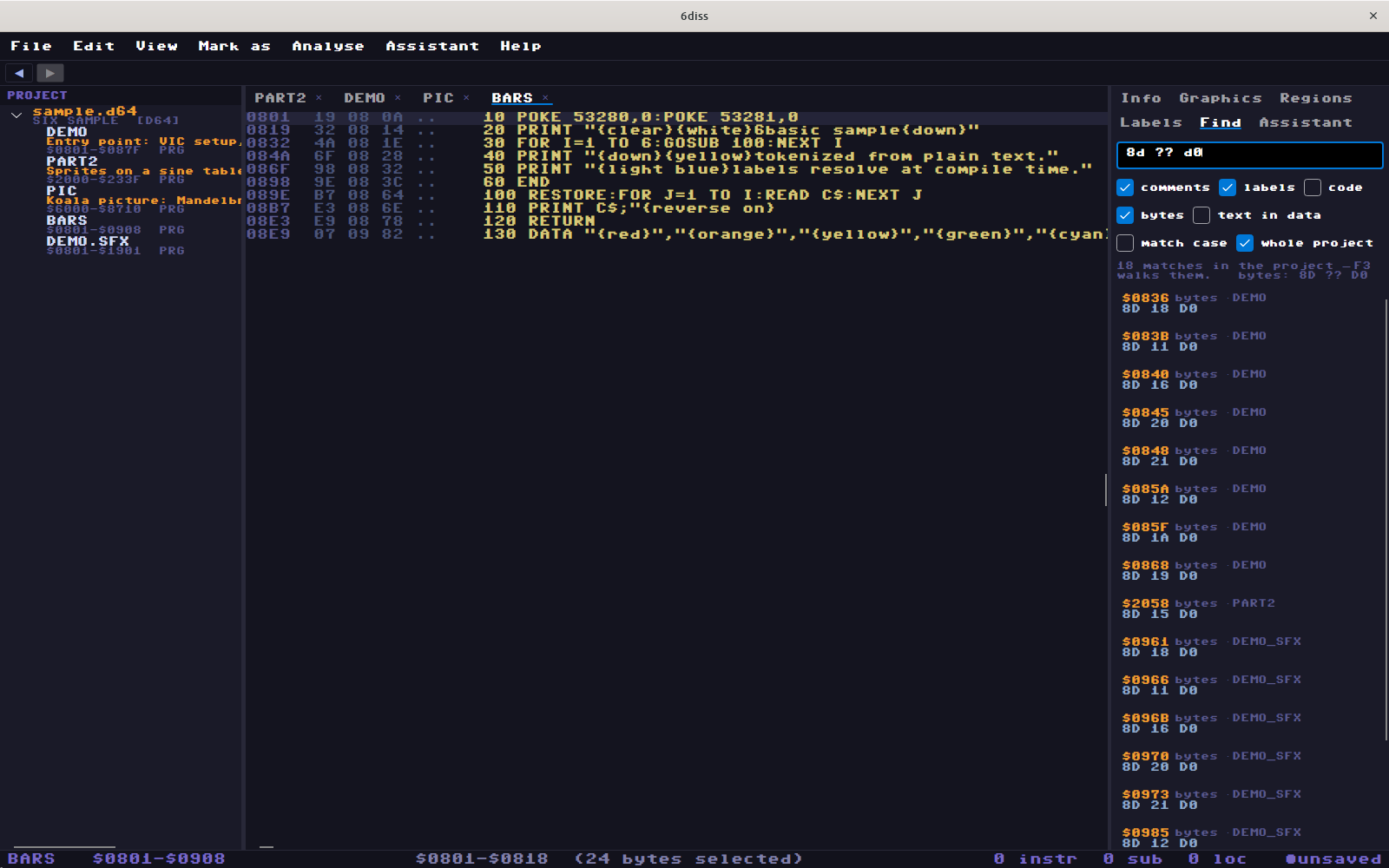
A file that is all BASIC lists as the program and exports as .bas. The export is re-tokenised through 6basic's compiler to check that it rebuilds.
Export
$ 6dcli --live export src --exact
source       src/DEMO.asm
exports      src/DEMO.exports.asm
c64-equates  src/c64.equates.asm
source       src/PART2.asm
... 15 more
$ cd src
$ bash build.sh
--- DEMO (DEMO)
    byte-identical
--- PART2 (PART2)
    byte-identical
--- PIC (PIC)
    byte-identical
--- BARS (BARS)
    byte-identical
--- DEMO_SFX (DEMO.SFX)
    byte-identical
One .asm per file, plus equates, a build.sh and the original bytes to compare against. The output above is real, from the sample disk. In byte-identical mode, anything 6asm would encode differently is written as .byte with the disassembly in a comment. Run build.sh with bash.
Also
- Packed files are identified from about 600 stub signatures. The formats that can be undone are decrunched into a second binary.
- 788 SID players identified, using the SIDId database.
- It learns from what you confirm and proposes matches on later disks. This stays on your machine.
- Markdown notes live beside the project as ordinary files, and
$addressesin them are links. - Optional assistant, using Anthropic's API or a local OpenAI-compatible server. Nothing is applied until you tick it.
- Scriptable:
6dcli --livedrives the running window, and6diss-mcpexposes the same verbs over MCP.
Credits
Playroutine signatures: SIDId by Cadaver and contributors, BSD licence (sidid.LICENCE.txt in the download). Packer signatures from unp64. Font: C64 Pro Mono by Style. UI: Avalonia.